
The family agent that thinks ahead for you.
It spots what's left uncovered and asks who will handle it. For iPhone, Android and the browser, end-to-end encrypted. Free to start, no card required.
Family passwords with AutoFill
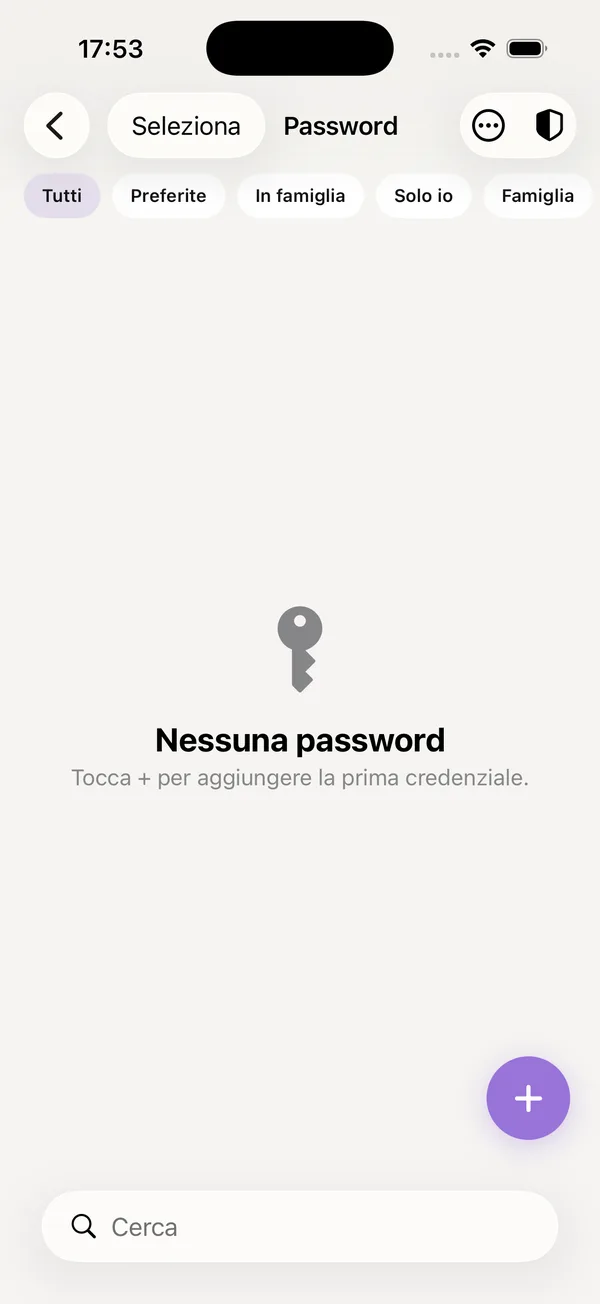
Passwords two people need don't belong in a chat. Here they're encrypted, fill themselves in, and an audit says which are weak or already leaked.
How it works
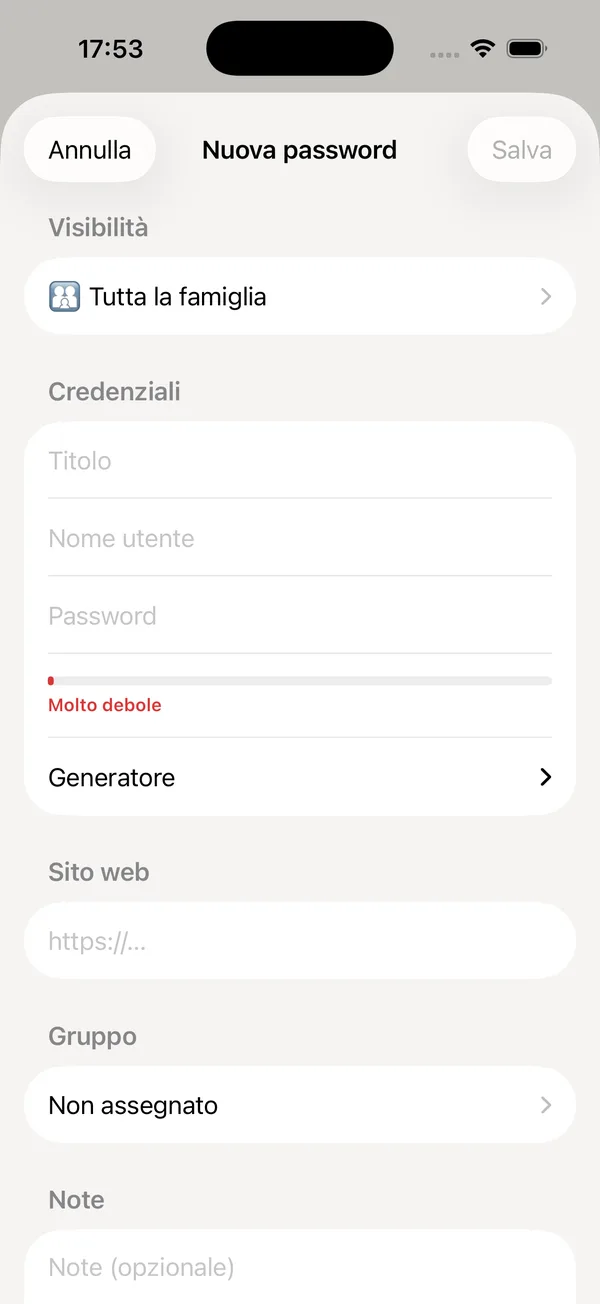
Save a credential
Site, username, password, notes. Choose whether it's family-wide or yours only: personal ones are seen by nobody else.
It fills itself in
With AutoFill on, on iPhone and Android the password goes into the site or app without copying it.
Check security
The audit flags weak, reused or breached passwords, without ever sending them in the clear.
Frequently asked questions
How does the breach check work?
With k-anonymity on Have I Been Pwned: only part of the hash is sent, never the password.
Can I generate strong passwords?
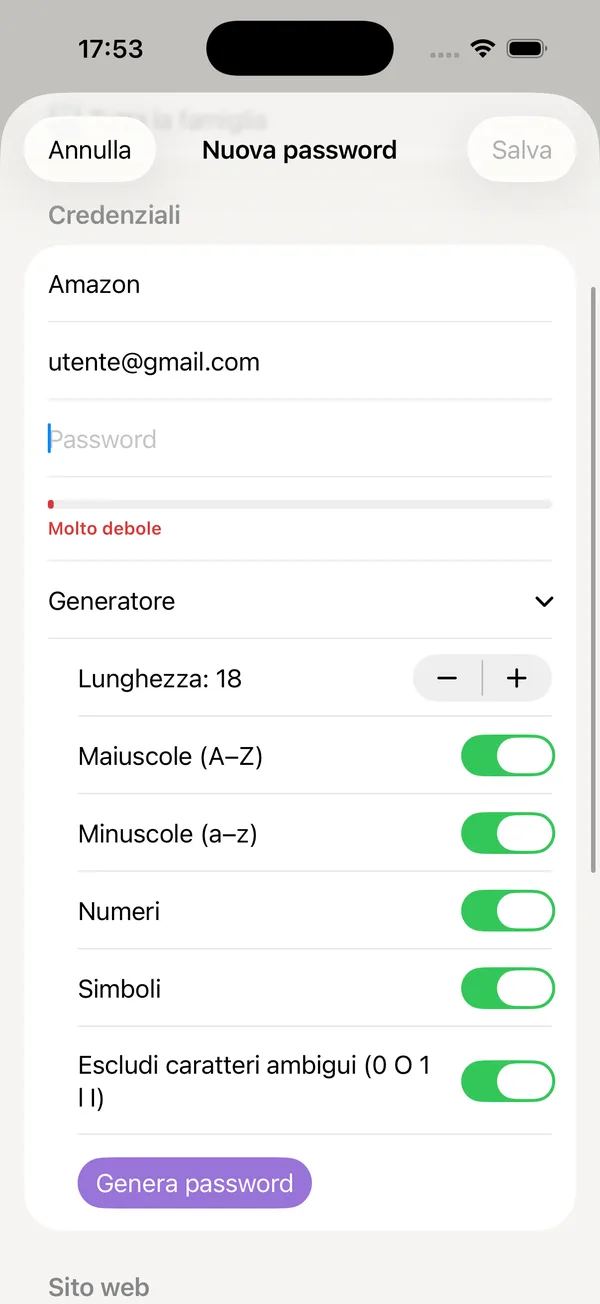
Yes, the generator creates long random passwords, with or without symbols.
Are personal passwords encrypted differently?
Yes: they use a key derived from your identity, so not even other family members can read them.
Related tools
Encrypted family notes
Shared notes with the other parent — the gate code, what the teacher said — encrypted and always within reach.
Included in Free› 👛Wallet: tickets, loyalty cards and IDs
Train and flight tickets read from the PDF by AI, loyalty cards with their barcode, the kids' identity documents. Shared.
Included in Free› 📄Encrypted family documents
Folders and categories for the family's files — reports, contracts, report cards — encrypted and reachable from every other section.
Included in Free›