It notices what's been left hanging: a list of tasks nobody has taken on, a forgotten dose of medicine, a bill about to fall due. And it steps in, asking the family who will handle it, before anything gets forgotten. Health, documents, expenses, travel, chat and everyday organisation: all in one app.
Try it free
No long setup: you start, and the family joins you.
On iPhone, Android or in the browser. Two screens and your family is ready: free, no card, no expiry.
Partner, grandparents, nanny: send an invite link (valid for 7 days) and whoever opens it joins the family. No limit on members.
Visits, documents, to-dos, calendar: everyone sees them. The AI assistant reads your documents and suggests what to do. You can try Pro free for 14 days.
From the morning rush to dinner together: calendar, lists, location, health and the assistant, in 35 seconds.
Not a loose bundle of features, but tools that know each other and share the same context.
For every child and adult: visits, tests, vaccines, ongoing treatments and reports. Organized, encrypted and readable by a parent — not a doctor.


A health diary for every child
Appointments, school, sports, birthdays: when one parent adds an event, the other sees it right away, in month, week or day view. And the calendars you already use live in the same place.


The whole month at a glance
Reports, certificates, contracts, receipts — stored, encrypted and shared with whoever needs them. And when you don't know where a document goes, hand it to the assistant: it reads it, works out what it is and files it in the right place.


Every family document, in folders
Benefits and deadlines, school, health, household bills and family events: every day the AI searches the web, from your country down to your town, and sums it up with the source. On the Pro and Max plans.


Benefits, school and health, from the country to your town
KidBox looks for the official page that publishes your town's shifts (Federfarma, the pharmacists' association, the health authority or the town hall) and reads it for you, even when it's a PDF or an image. After that it updates by itself. On the Pro and Max plans.
Private and group messages, end-to-end encrypted, dedicated to managing the kids — without getting lost among a thousand other conversations.


A chat just for the family, location included
Tell me where you want to go, with whom and for how many days. The agent already knows your kids' ages and health and builds a complete day-by-day itinerary.


Plan a trip or get a place suggested
Real-time location shared with family members — only with those you allow, and only when you want.


Where your family is, on the map
A shared password manager: the credentials everyone needs in one encrypted place, with autofill and breach monitoring.


Family passwords, in one encrypted place
Upload a payslip, a contract or a leave sheet: the AI reads it and saves net pay, remaining holiday and leave hours, grade and dates. You can correct everything before saving. One tab for each adult, private until you decide to share it. In the Pro and Max plans.
Track spending by category and keep the budget under control.
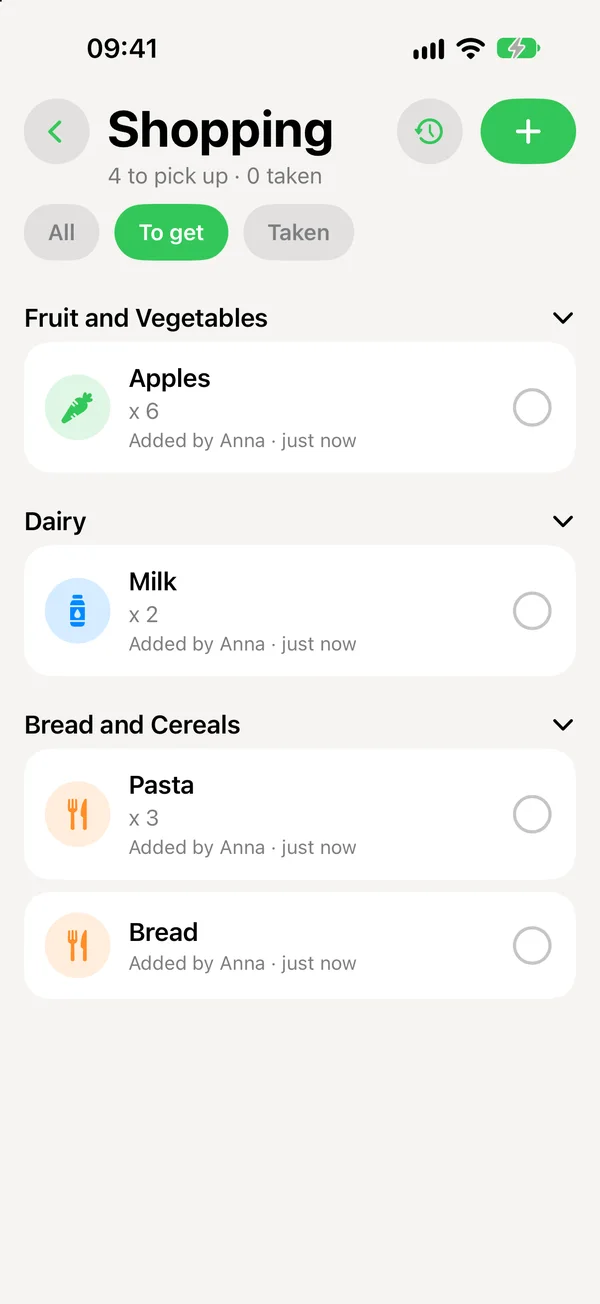
Shared in real time. AI fills it in on request.
Maintenance, taxes and deadlines — nothing forgotten.
Notes and reminders synced with the family.
Tickets, loyalty cards and digital documents.
Shared tasks, and “who can do it?” even to people without the app.
Shared albums to keep your best memories.
Profiles and vet visits, integrated into family life.
A profile for each member, with their own data.
A to-do nobody has taken, a dose that wasn't recorded, a bill coming due with no one on it: KidBox tells you at the right time, and you sort it out with one tap from the notification.
On the Pro and Max plans, with the latest update (iPhone 2.4.3, Android 2.5.1). Alerts are worked out on the phone, don't use AI messages and never show health details.
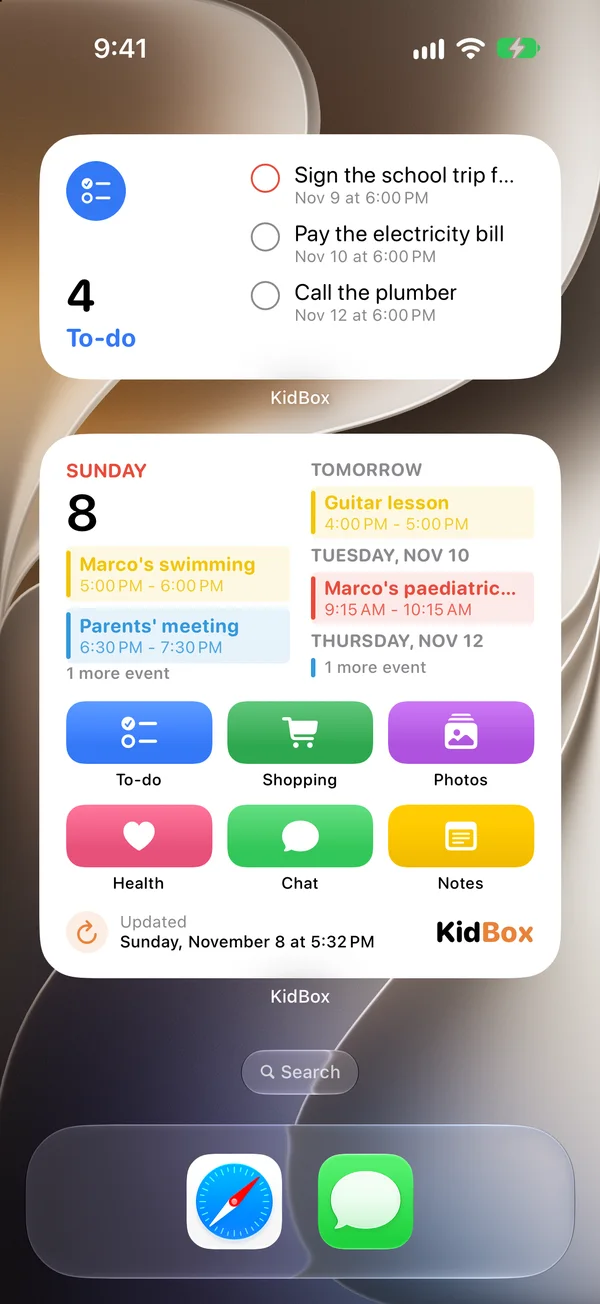
Today's plans without opening the app, the to-do you started on your phone and finish on your Mac, the grocery list that sorts itself. Available now in the latest version.


KidBox widgets on the Home Screen
In every plan. Widgets on iPhone and iPad; Handoff between iPhone, iPad and Mac with the same Apple Account. Grocery aisles use no AI messages and the list never leaves the device.
Not a generic chatbot: seven specialists that know your family and take concrete action.
It remembers the whole app: calendar, everyone's health with their reports, documents, expenses, home and car. Open it from the circle in the middle of the bottom bar: in Health it's already focused on that person or that visit. Ask it to create an event, a reminder, or to find who can pick Marco up on Thursday: it actually does it.
Every day it searches the web for what matters to your family: benefits and grants, school, health, household money — from your country down to your town — plus family events within 60 km. Every story comes with its source. When you ask, it compares your bills and shopping with today's offers.
Tell me where and with whom: it knows the kids' ages and health and generates a tailor-made itinerary, day by day.
Works even when the app is closed: morning briefing, weekly recap, a weekly or monthly look at the children's health, and alerts when something is left uncovered — with “Ask the others” or, if you allow it, asking on your behalf.
Snap a bill, a medical report or a prescription and hand it to the assistant: it works out what it is, creates the due date, the visit or the treatment and attaches the file. You confirm. On iPhone and iPad, Android coming soon.
Builds a weekly menu that fits: it starts from age, weight and goals, but also reads medical reports, ongoing treatments and allergies — and factors in how much you actually move.
Workouts scaled to the person: goals matter, but clinical conditions, ongoing treatments and the limits set by a doctor come first.
A single subscription covers all members.
Try Pro free for 14 days: start it in the app with one tap, no card and no commitment. At the end you go back to Free and lose nothing you saved. Pro and Max can be paid monthly or yearly, and yearly costs a third less. Subscriptions are managed by App Store or Google Play and renew automatically. You can cancel anytime. AI messages are a family-wide counter: on Pro and Max it resets every day, while Free's 5 trial messages are one-off and never renew.
You can start free and stay on the Free plan forever. Pro and Max are paid, monthly or yearly, and a single subscription covers the whole family: prices are right above.
As many as you need: members have no limit and you don't pay per person.
Yes, free for 14 days: you turn it on from the app with one tap, no card. At the end you go back to Free and lose nothing you saved.
Documents, messages, notes, passwords, wallet, health, expenses, to-dos, calendar, garage, pets and your conversations with the assistant are encrypted with a family key. If you share the calendar with a link, events stay readable by the calendar that receives it. You share your location only if you want to, and you can turn it off any time. Details are in the privacy policy.
There is an app for iPhone and Android; on a computer, or in any browser, there is the web app at app.kidboxapp.com, with the same account.
The assistant uses your plan's messages: Free includes 5 trial messages, one time only; Pro and Max have a daily and monthly family cap. Meal Plan, Fitness Plan and travel itineraries require Pro or Max.
From the store: subscriptions are managed by the App Store or Google Play, renew automatically and can be cancelled any time.
Yes. How to do it is explained on the Data deletion page.
Italian, English, Spanish and French, in the app and on the website. The Alexa skill is Italian only.
Free to start. No card required.
Try it free